Open the endpoint
Visit a raw JSON response in Chrome. No separate formatter or setup step is required.
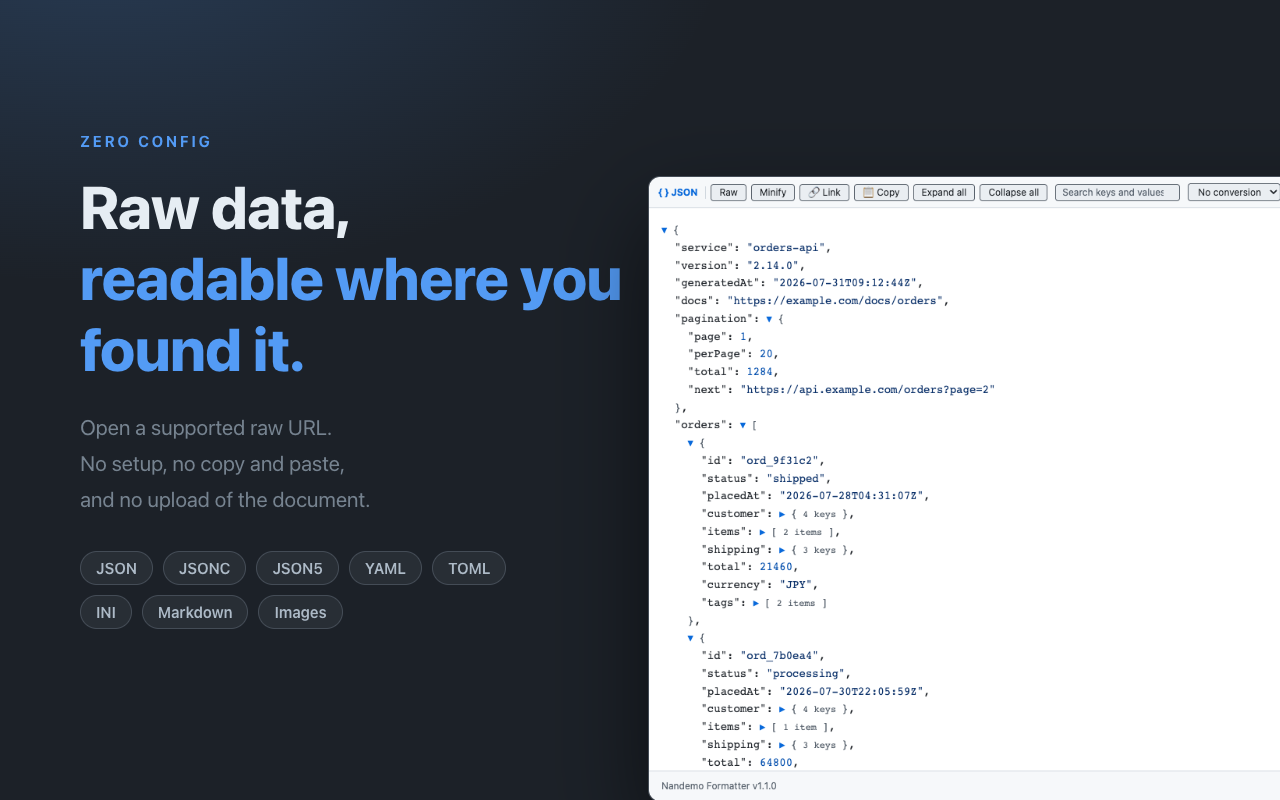
Visit a raw JSON response in Chrome. No separate formatter or setup step is required.
Search keys and values, then expand only the objects and arrays you need.
Copy the document or a JSON path, switch to Raw or Minify, or convert to another supported structured format.
Syntax highlighting, search, and per-node or whole-document expand and collapse keep nested responses readable.
Copy the full document, minified JSON, or the path of an individual node.
Convert between JSON, JSONC, JSON5, YAML, TOML, and INI when the target format can represent the data.
Parsing, search, copy, and conversion happen in the browser. The response body is not sent to the developer or Google Analytics.
Follow the system colour scheme or keep Formatter surfaces in light or dark mode.
Reload the current tab once without Formatter when you need Chrome's original response view.
Stop automatic formatting for an exact HTTP(S) origin without disabling the extension everywhere.
Persistent-ID usage events require consent. Isolated performance outliers use a new identifier and never include the URL, domain, response body, search text, JSON path, output, or error details.
No. Open the response URL and use the formatted view on that page.
No. Document processing happens in the browser, and the response body and URL are excluded from optional analytics.
Yes. Raw keeps the source inside Formatter, while Show original once reloads the current tab without Formatter for one view.
Yes. Disable the exact HTTP(S) scheme, host, and port, then re-enable it from the popup or settings when needed.